1.SSHキーを作成して、githubに設定する
httpsではなく、SSHキーでGithubのrepositoryを操作する場合、ローカルの開発環境でSSHキーペアを作成する。作成した後公開キーをgithubに設定する。手順は次の通りです。aaaaaaa@xxxxx.comはgithubのアカウントにしてください。
ssh-keygen -t ed25519 -C "aaaaaaa@xxxxx.com"
Generating public/private ed25519 key pair.
Enter file in which to save the key (/home/daboai/.ssh/id_ed25519):
Enter passphrase (empty for no passphrase):
Enter same passphrase again:
Your identification has been saved in /home/daboai/.ssh/id_ed25519
Your public key has been saved in /home/daboai/.ssh/id_ed25519.pub
The key fingerprint is:
SHA256:DvbtHJuzNU28S5kf2oiwerer/TADo/XXXXXXXXXXXXX aaaaaaa@xxxxx.com
The key's randomart image is:
+--[ED25519 256]--+
| oo ++o |
| . .* +. |
| .+ O . |
| = =. . |
| o S .+.o= .|
| . + . oE= O |
| o + + B.=|
| o.* +oo+|
| *o ....|
+-—[SHA256]--—+
cd ~/.ssh && ls で作成した私用キーと公開キーを確認する。
"id_ed25519 id_ed25519.pub"
eval "$(ssh-agent -s)"
ssh-add ~/.ssh/id_ed25519
次は、公開キーをコピーしてください。
cat id_ed25519.pub
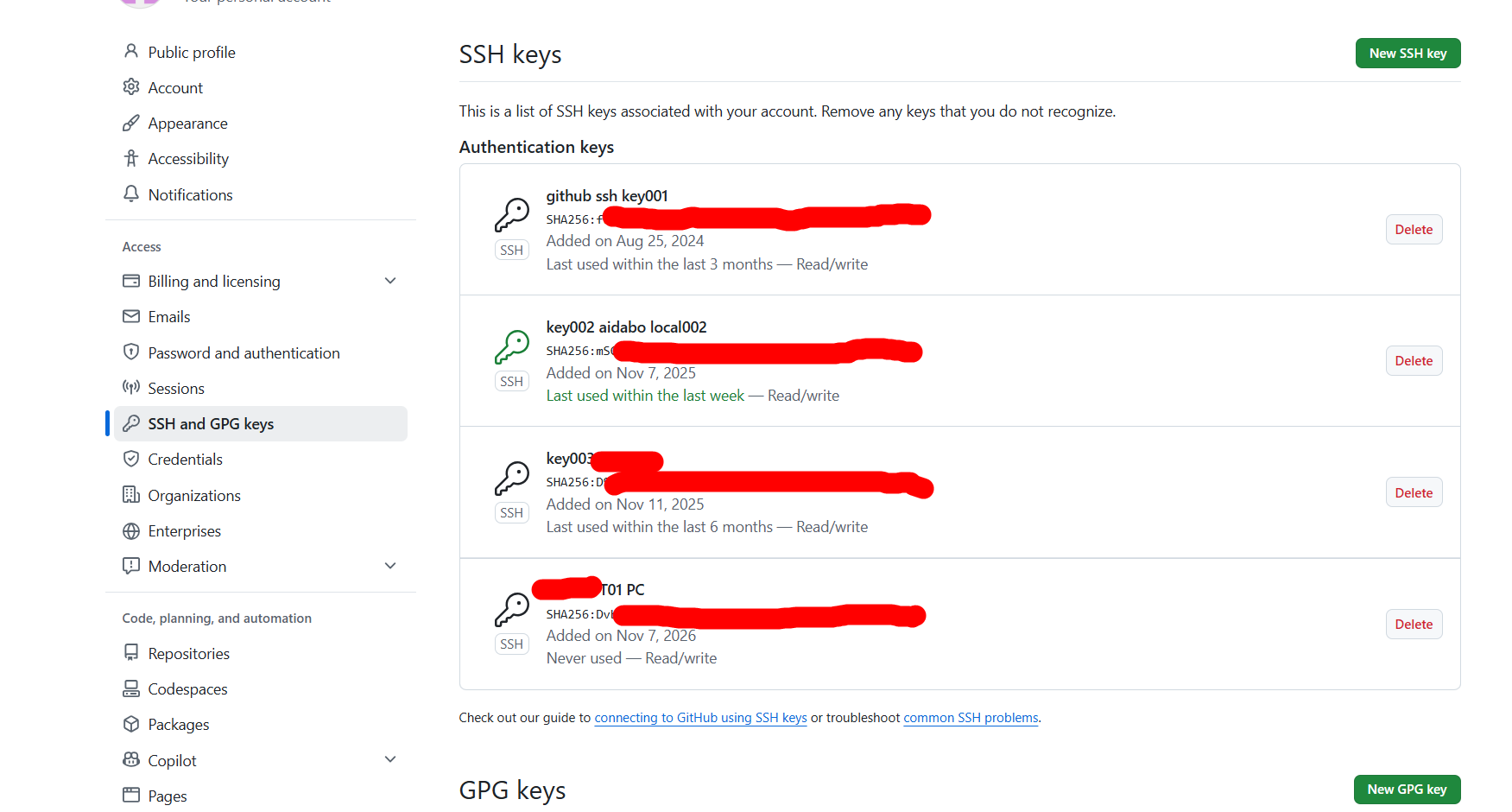
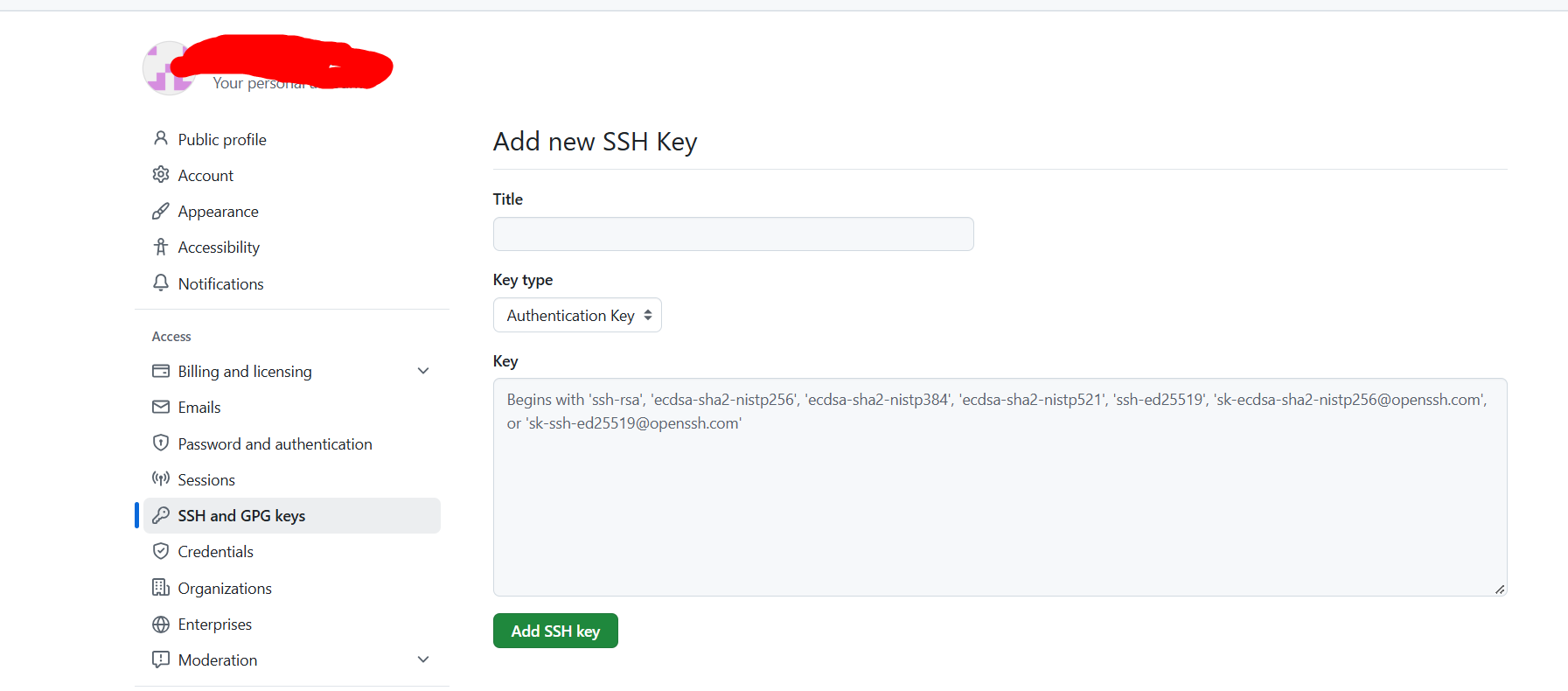
次のページhttps://github.com/settings/keysでgithubのrepositoryをアクセスします。左のnavigationにはaccess/SSH and PGP keysがあります。次の通りに公開キーを追加します。
参考資料:
新しい SSH キーを生成する
新しい SSH キーを追加する
2.リポジトリでSSHのURLで取得する
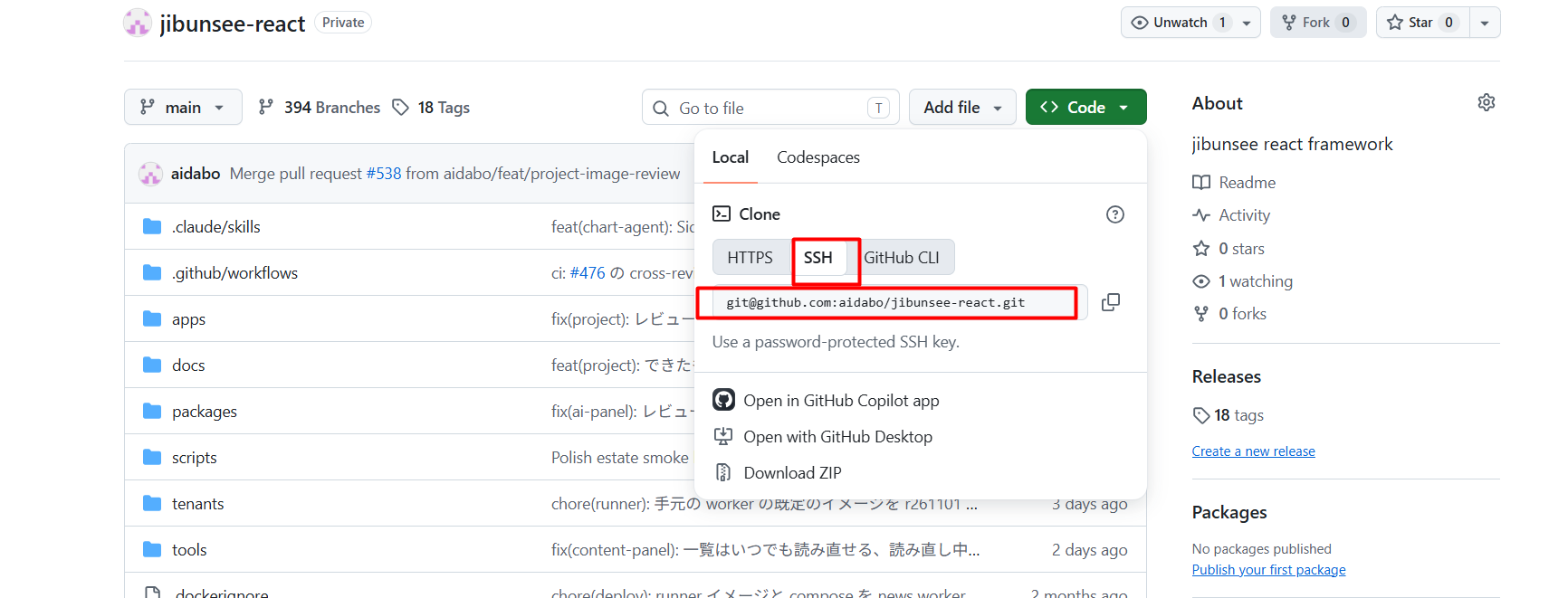
git clone git@github.com:aidabo/jibunsee-react.git